

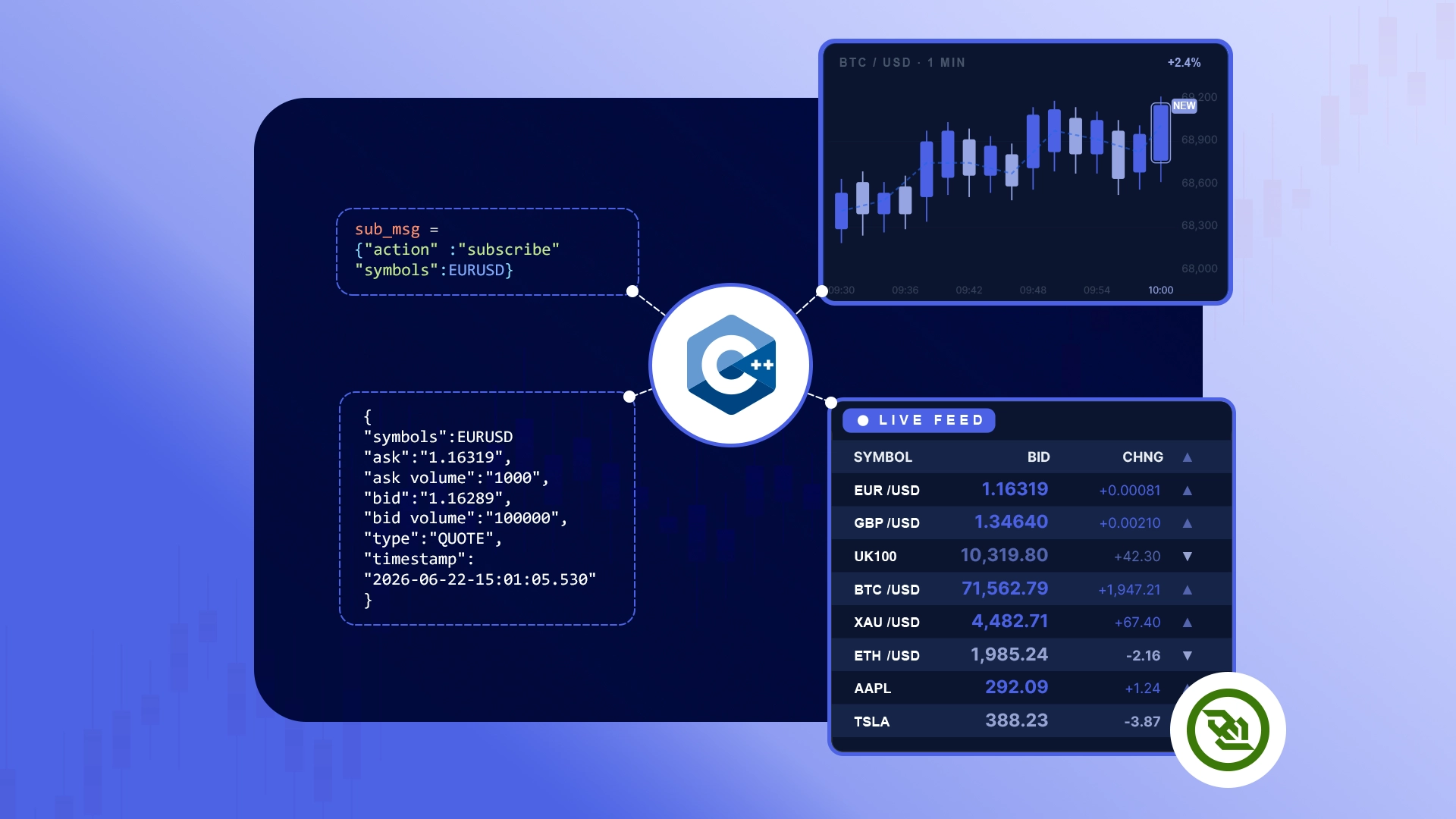
This tutorial walks through building a C++ websocket client (WS version 2) using the modern C++17 stack — Boost.Beast for the WebSocket transport, nlohmann/json for message parsing, and vcpkg + CMake for the build. By the end you'll have a portable, reproducible binary streaming live Forex, CFD, and Crypto quotes.
If you're coming from the older WebSocket++ tutorial, the network protocol is identical — only the C++ tooling has changed.
Getting Started
Every v2 client follows the same four steps:
1. Connect       -> wss://stream.tradermade.com/feedAdv
2. Send login    -> {"action":"login","key":"YOUR_API_KEY","fmt":"JSON"}
3. Subscribe     -> {"action":"subscribe","symbols":["EURUSD:QUOTE","GBPUSD:QUOTE"]}
4. Receive ticks -> {"s":"EURUSD","b":"1.162700000","a":"1.162720000","bv":"100000","av":"100000","t":"QUOTE","ts":"..."}
The WebSocket v2 documentation is worth a quick read — v2 uses an action-based JSON protocol, so knowing the message shapes upfront saves you debugging time later.
If you don't already have a key, you can request a 1-week trial to follow along.
Setting up the Coding Environment
You only need three things on your machine: a C++ compiler, vcpkg (Microsoft's open-source C++ package manager), and CMake.
On Ubuntu / WSL:
sudo apt update
sudo apt install build-essential cmake git
On macOS:
brew install cmake git
On Windows:
Install Visual Studio 2022 with the "Desktop development with C++" workload, plus CMake (bundled with VS). Run the commands in this tutorial from a "Developer PowerShell for VS 2022" window so the compiler is on your path — there's a separate Windows command block wherever the steps differ.
Next, install vcpkg — it's a one-time clone:
git clone https://github.com/microsoft/vcpkg.git
cd vcpkg
./bootstrap-vcpkg.sh         # Linux / macOS
.\bootstrap-vcpkg.bat        # Windows
Note the absolute path of the vcpkg folder — you'll point CMake at it shortly.
Project Layout
Create a fresh project folder with three files:
tradermade-ws-v2/
├── CMakeLists.txt
├── vcpkg.json
└── main.cpp
vcpkg.json — declare dependencies
This manifest tells vcpkg what to install when CMake configures the project:
{
  "name": "tradermade-ws-v2",
  "version": "0.1.0",
  "dependencies": [
    "boost-beast",
    "boost-asio",
    "nlohmann-json",
    "openssl"
  ]
}
CMakeLists.txt — build config
Now let's look at the build config. We just set the C++ standard and link the required libraries. The one extra line is Threads::Threads — Asio needs pthreads on Linux, and if you skip it, some GCC setups fail at the final link step with undefined pthread_* errors. So we link it explicitly to avoid that error altogether.
cmake_minimum_required(VERSION 3.20)
project(tradermade_ws_v2 CXX)

set(CMAKE_CXX_STANDARD 17)
set(CMAKE_CXX_STANDARD_REQUIRED ON)

find_package(Boost REQUIRED COMPONENTS system)
find_package(OpenSSL REQUIRED)
find_package(nlohmann_json CONFIG REQUIRED)
find_package(Threads REQUIRED)

add_executable(streaming_forex_v2 main.cpp)
target_link_libraries(streaming_forex_v2 PRIVATE
    Boost::system
    OpenSSL::SSL
    OpenSSL::Crypto
    nlohmann_json::nlohmann_json
    Threads::Threads
)
Writing the Client
Next, create main.cpp and include the required libraries. Beast provides the WebSocket and SSL functionality, Asio handles the event loop and networking, nlohmann/json parses the incoming market data, and <cstdlib> lets us retrieve the API key from the environment:
#include <boost/beast/core.hpp>
#include <boost/beast/ssl.hpp>
#include <boost/beast/websocket.hpp>
#include <boost/beast/websocket/ssl.hpp>
#include <boost/asio/connect.hpp>
#include <boost/asio/ip/tcp.hpp>
#include <nlohmann/json.hpp>

#include <cstdlib>
#include <iostream>
#include <string>
To keep the code readable, define a few namespace aliases. Boost's networking stack uses deeply nested namespaces, and without aliases the code quickly becomes cluttered with long qualifiers such as boost::beast::websocket. Short aliases make the intent of each line much easier to follow:
namespace beast     = boost::beast;
namespace websocket = beast::websocket;
namespace net       = boost::asio;
namespace ssl       = boost::asio::ssl;
using tcp           = boost::asio::ip::tcp;
using json          = nlohmann::json;
Inside main(), define the connection parameters and load the API key. Boost.Beast expects the host, port, and path as separate values: the host and port are used to establish the TCP connection, while the path is supplied during the WebSocket handshake. To avoid hardcoding credentials, read the API key from the TRADERMADE_API_KEY environment variable:
int main() {
    const std::string host   = "stream.tradermade.com";
    const std::string port   = "443";
    const std::string target = "/feedAdv";

    const char* key = std::getenv("TRADERMADE_API_KEY");
    if (!key) {
        std::cerr << "Set the TRADERMADE_API_KEY environment variable first.\n";
        return EXIT_FAILURE;
    }
    const std::string api_key = key;
Now set up the I/O context, SSL context, and WebSocket stream. The stream is built from three layers: a TCP socket for connectivity, an SSL stream for encryption, and a WebSocket stream for messaging. The type websocket::stream<ssl::stream<tcp::socket>> is just those layers stacked together.
    try {
        net::io_context ioc;
        ssl::context ctx{ssl::context::tlsv12_client};
        ctx.set_default_verify_paths();
        ctx.set_verify_mode(ssl::verify_peer);

        tcp::resolver resolver{ioc};
        websocket::stream<ssl::stream<tcp::socket>> ws{ioc, ctx};
A quick Windows-specific note: while set_default_verify_paths() usually works out of the box on Linux and macOS, vcpkg's OpenSSL build cannot read the Windows certificate store. As a result, certificate verification may fail despite the code being correct. The workaround is straightforward and covered in the Troubleshooting section.
Next, set the SNI (Server Name Indication) hostname.
This tells the server which hostname you want to connect to so it can return the appropriate TLS certificate. SNI must be configured before the TLS handshake starts:
        if (!SSL_set_tlsext_host_name(
                ws.next_layer().native_handle(), host.c_str())) {
            throw beast::system_error{
                beast::error_code(static_cast<int>(::ERR_get_error()),
                                  net::error::get_ssl_category())};
        }
First, resolve the hostname, connect the TCP socket, complete the TLS handshake, then complete the WebSocket handshake. Each layer hands off to the next:
        auto const results = resolver.resolve(host, port);
        net::connect(beast::get_lowest_layer(ws), results);

        ws.next_layer().handshake(ssl::stream_base::client);
        ws.handshake(host, target);

        std::cout << "WebSocket connection opened!\n";
Now let's write the login message. We use nlohmann/json instead of typing out the JSON string manually:
        json login_msg = {
            {"action", "login"},
            {"key",    api_key},
            {"fmt",    "JSON"}
        };
        ws.write(net::buffer(login_msg.dump()));
        std::cout << "Sent login\n";
Now for the read loop. Each message gets parsed as JSON, then we check the type field for control messages and the t field for price ticks. On login_ok we subscribe, on login_reject we stop, on sub_ack we print the accepted symbols, and on ticks we print the price with bid and ask volumes:
        beast::flat_buffer buffer;
        bool subscribed = false;

        while (true) {
            buffer.clear();
            ws.read(buffer);
            std::string payload = beast::buffers_to_string(buffer.data());

            json msg;
            try {
                msg = json::parse(payload);
            } catch (json::parse_error& e) {
                std::cerr << "Bad JSON: " << e.what() << "\n";
                continue;
            }

            const std::string type = msg.value("type", "");
            const std::string tick = msg.value("t", "");

            if (type == "login_ok") {
                std::cout << "Logged in. symbol_limit="
                          << msg.value("symbol_limit", 0)
                          << " cfds="    << msg.value("cfds", false)
                          << " ladder="  << msg.value("trader_ladder", false)
                          << "\n";

                if (!subscribed) {
                    json sub_msg = {
                        {"action",  "subscribe"},
                        {"symbols", {"EURUSD:QUOTE", "GBPUSD:QUOTE"}}
                    };
                    ws.write(net::buffer(sub_msg.dump()));
                    std::cout << "Sent subscribe\n";
                    subscribed = true;
                }
            }
            else if (type == "login_reject") {
                std::cerr << "Login rejected: "
                          << msg.value("reason", "") << "\n";
                break;
            }
            else if (type == "sub_ack") {
                std::cout << "Subscribed: "
                          << msg.value("accepted", json::array()).dump() << "\n";
            }
            else if (tick == "QUOTE" || tick == "LAST_QUOTE") {
                std::cout << msg.value("s", "")
                          << "  bid=" << msg.value("b", "")
                          << "  ask=" << msg.value("a", "")
                          << "  bv="  << msg.value("bv", "")
                          << "  av="  << msg.value("av", "")
                          << "  ts="  << msg.value("ts", "") << "\n";
            }
        }

        // Only reached via the login_reject break — and by then the server
        // has usually torn down its side already. The error_code overload
        // makes this a best-effort close instead of a throw at the finish line.
        beast::error_code ec;
        ws.close(websocket::close_code::normal, ec);

    } catch (beast::system_error const& se) {
        if (se.code() == websocket::error::closed) {
            std::cout << "Server closed the connection.\n";
            return EXIT_SUCCESS;
        }
        std::cerr << "Error: " << se.code().message() << "\n";
        return EXIT_FAILURE;
    } catch (std::exception const& e) {
        std::cerr << "Error: " << e.what() << "\n";
        return EXIT_FAILURE;
    }

    return EXIT_SUCCESS;
}
Build and Run
When configuring CMake, point it to vcpkg's toolchain file. This is the one-time setup that enables find_package() to discover and use vcpkg-managed dependencies.
On Linux / macOS:
cmake -B build -S . -DCMAKE_TOOLCHAIN_FILE=/path/to/vcpkg/scripts/buildsystems/vcpkg.cmake
cmake --build build

export TRADERMADE_API_KEY=your_streaming_key
./build/streaming_forex_v2
On Windows (Developer PowerShell):
Visual Studio uses a multi-configuration CMake generator, so the build configuration (for example, Debug or Release) is selected at build time, and the resulting binary is placed in a configuration-specific subdirectory.
cmake -B build -S . -DCMAKE_TOOLCHAIN_FILE=C:\path\to\vcpkg\scripts\buildsystems\vcpkg.cmake
cmake --build build --config Release

$env:TRADERMADE_API_KEY = "your_streaming_key"
.\build\Release\streaming_forex_v2.exe
The initial configuration can take 10–30 minutes because vcpkg builds dependencies such as Boost and OpenSSL from source. This is expected behavior, not a hang. Once completed, the artifacts are cached, so subsequent builds typically take only a few seconds.
Output
WebSocket connection opened!
Sent login
Logged in. symbol_limit=54 cfds=1 ladder=0
Sent subscribe
Subscribed: ["EURUSD:QUOTE","GBPUSD:QUOTE"]
EURUSD  bid=1.162700000  ask=1.162720000  bv=100000  av=100000  ts=20260522-17:30:12.842
GBPUSD  bid=1.334950000  ask=1.334990000  bv=100000  av=100000  ts=20260522-17:30:12.985
EURUSD  bid=1.162690000  ask=1.162720000  bv=100000  av=100000  ts=20260522-17:30:13.134
GBPUSD  bid=1.334920000  ask=1.334980000  bv=100000  av=100000  ts=20260522-17:30:13.261
EURUSD  bid=1.162690000  ask=1.162720000  bv=100000  av=100000  ts=20260522-17:30:13.684
GBPUSD  bid=1.334920000  ask=1.334980000  bv=100000  av=100000  ts=20260522-17:30:13.826
This is a fully functional real-time market data client. Here's the breakdown of each field:
s— symbolb/a— bid and askbv/av— bid and ask volume (new in v2, inline on every tick)t— tick type (QUOTEfor live,LAST_QUOTEif you opt in viasend_last)ts— server timestamp inYYYYMMDD-HH:MM:SS.mmmformat
Troubleshooting
Here are the four most common problems you might run into, and how to fix them:
CMake can't find Boost, OpenSSL, or nlohmann_json. This is almost always caused by a missing or incorrect vcpkg toolchain file. Either the -DCMAKE_TOOLCHAIN_FILE flag was not passed during configuration, or the vcpkg path is wrong. Since CMake caches failed configuration state, delete the build/ directory completely and reconfigure with the correct toolchain flag.
certificate verify failed during the TLS handshake. On Linux and macOS, set_default_verify_paths() typically locates the system's CA bundle automatically, so this issue is uncommon. On Windows, vcpkg's OpenSSL doesn't use the Windows certificate store and often has no default CA bundle configured. As a result, certificate verification can fail even when your code is correct. To resolve this, download the Mozilla CA bundle (cacert.pem) from curl.se and configure OpenSSL to use it before starting the application:
$env:SSL_CERT_FILE = "C:\path\to\cacert.pem"
Login rejected: unknown_key. Check for a stray space or missing character in the environment variable, and check that your trial hasn't expired. A related one: if the same key logs in from a second connection, the server sends the first connection a logout message with reason duplicate_login — one key, one stream. And if a sub_ack comes back with symbols under denied rather than accepted, the denied_reasons map tells you why — limit_reached means you've hit your plan's symbol_limit, cfds_not_allowed means that instrument class isn't on your plan.
The connection opens, then nothing — or it worked for hours and silently stopped. If login_ok never arrives at all, suspect the network path: corporate firewalls and proxies sometimes block WebSocket upgrades even on port 443, so test from a network you control before debugging the code. If the feed was working normally and then stopped delivering updates after your laptop went to sleep or remained idle for an extended period, you've likely encountered the primary limitation of the synchronous API. The ws.read() call has no built-in timeout, so if the underlying TCP connection drops silently, the call can block indefinitely. Unfortunately, there is no robust solution in the synchronous implementation; see the asynchronous approach below for a proper fix.
Full code
main.cpp:
#include <boost/beast/core.hpp>
#include <boost/beast/ssl.hpp>
#include <boost/beast/websocket.hpp>
#include <boost/beast/websocket/ssl.hpp>
#include <boost/asio/connect.hpp>
#include <boost/asio/ip/tcp.hpp>
#include <nlohmann/json.hpp>

#include <cstdlib>
#include <iostream>
#include <string>

namespace beast     = boost::beast;
namespace websocket = beast::websocket;
namespace net       = boost::asio;
namespace ssl       = boost::asio::ssl;
using tcp           = boost::asio::ip::tcp;
using json          = nlohmann::json;

int main() {
    const std::string host   = "stream.tradermade.com";
    const std::string port   = "443";
    const std::string target = "/feedAdv";

    const char* key = std::getenv("TRADERMADE_API_KEY");
    if (!key) {
        std::cerr << "Set the TRADERMADE_API_KEY environment variable first.\n";
        return EXIT_FAILURE;
    }
    const std::string api_key = key;

    try {
        net::io_context ioc;
        ssl::context ctx{ssl::context::tlsv12_client};
        ctx.set_default_verify_paths();
        ctx.set_verify_mode(ssl::verify_peer);

        tcp::resolver resolver{ioc};
        websocket::stream<ssl::stream<tcp::socket>> ws{ioc, ctx};

        if (!SSL_set_tlsext_host_name(
                ws.next_layer().native_handle(), host.c_str())) {
            throw beast::system_error{
                beast::error_code(static_cast<int>(::ERR_get_error()),
                                  net::error::get_ssl_category())};
        }

        auto const results = resolver.resolve(host, port);
        net::connect(beast::get_lowest_layer(ws), results);

        ws.next_layer().handshake(ssl::stream_base::client);
        ws.handshake(host, target);

        std::cout << "WebSocket connection opened!\n";

        json login_msg = {
            {"action", "login"},
            {"key",    api_key},
            {"fmt",    "JSON"}
        };
        ws.write(net::buffer(login_msg.dump()));
        std::cout << "Sent login\n";

        beast::flat_buffer buffer;
        bool subscribed = false;

        while (true) {
            buffer.clear();
            ws.read(buffer);
            std::string payload = beast::buffers_to_string(buffer.data());

            json msg;
            try {
                msg = json::parse(payload);
            } catch (json::parse_error& e) {
                std::cerr << "Bad JSON: " << e.what() << "\n";
                continue;
            }

            const std::string type = msg.value("type", "");
            const std::string tick = msg.value("t", "");

            if (type == "login_ok") {
                std::cout << "Logged in. symbol_limit="
                          << msg.value("symbol_limit", 0)
                          << " cfds="    << msg.value("cfds", false)
                          << " ladder="  << msg.value("trader_ladder", false)
                          << "\n";

                if (!subscribed) {
                    json sub_msg = {
                        {"action",  "subscribe"},
                        {"symbols", {"EURUSD:QUOTE", "GBPUSD:QUOTE"}}
                    };
                    ws.write(net::buffer(sub_msg.dump()));
                    std::cout << "Sent subscribe\n";
                    subscribed = true;
                }
            }
            else if (type == "login_reject") {
                std::cerr << "Login rejected: "
                          << msg.value("reason", "") << "\n";
                break;
            }
            else if (type == "sub_ack") {
                std::cout << "Subscribed: "
                          << msg.value("accepted", json::array()).dump() << "\n";
            }
            else if (tick == "QUOTE" || tick == "LAST_QUOTE") {
                std::cout << msg.value("s", "")
                          << "  bid=" << msg.value("b", "")
                          << "  ask=" << msg.value("a", "")
                          << "  bv="  << msg.value("bv", "")
                          << "  av="  << msg.value("av", "")
                          << "  ts="  << msg.value("ts", "") << "\n";
            }
        }

        // Only reached via the login_reject break — and by then the server
        // has usually torn down its side already. The error_code overload
        // makes this a best-effort close instead of a throw at the finish line.
        beast::error_code ec;
        ws.close(websocket::close_code::normal, ec);

    } catch (beast::system_error const& se) {
        if (se.code() == websocket::error::closed) {
            std::cout << "Server closed the connection.\n";
            return EXIT_SUCCESS;
        }
        std::cerr << "Error: " << se.code().message() << "\n";
        return EXIT_FAILURE;
    } catch (std::exception const& e) {
        std::cerr << "Error: " << e.what() << "\n";
        return EXIT_FAILURE;
    }

    return EXIT_SUCCESS;
}
Explore the full v2 docs — this tutorial is about the client, but the WebSocket v2 documentation is the complete reference guide: it covers every action and response format, including error codes, rejection reasons, symbol formats across Forex, CFDs, and Crypto, and the connection-handling details you'll need before moving to production.
Scaling This to Production
The synchronous loop is a good way to learn the protocol. For production use, replace it with the following Beast patterns:
- Async handlers — Use
ws.async_read()with an I/O context to efficiently manage multiple connections per thread. This approach also solves the dead-socket problem by racing reads against a timer and reconnecting when the connection is lost. - C++20 coroutines — Use
co_await ws.async_read(...)for asynchronous code that retains the readability and linear flow of the synchronous implementation. - Reconnect with backoff — Wrap the login → subscribe sequence in a retry loop with exponential backoff. Because subscriptions are not preserved across disconnects, re-subscribing after reconnect is mandatory.
- Typed ticks — Define a
Tickstructure and use nlohmann/json to deserialize incoming messages directly into strongly typed objects.
Wrapping Up
You now have a working C++ WebSocket client streaming live FX, Stock CFDs, and Crypto ticks over TraderMade's WebSocket v2. From here, the next step is adapting it to your production use case.