

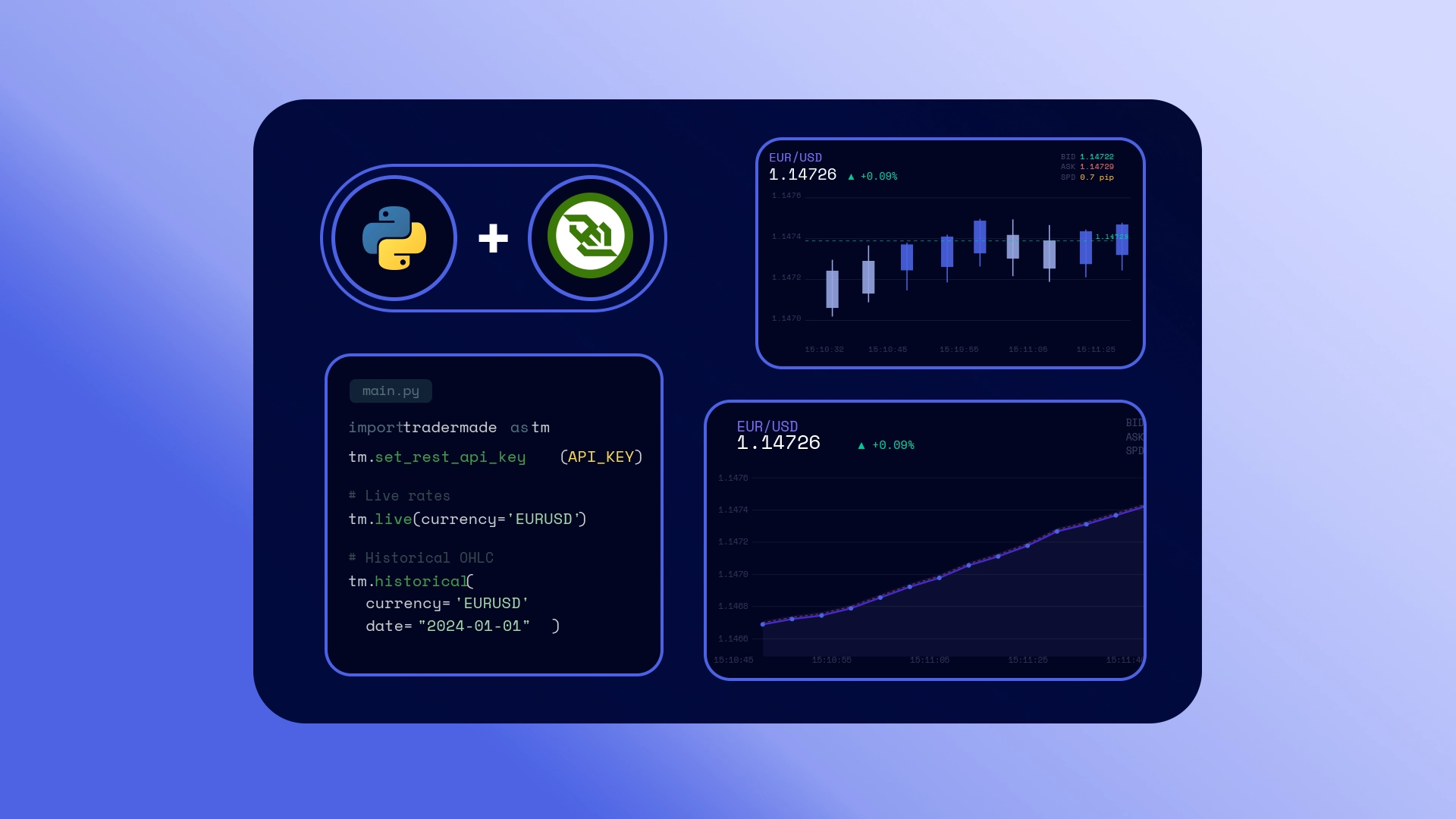
In this tutorial, you will build a high-performance Python WebSocket client using asyncio and the modern websockets library to stream real-time market data from the WebSocket V2 feed.
We will break the implementation down into six steps:
- 1. Connection & Authentication: Establishing the secure handshake.
- 2. Message Routing: Understanding server response types.
- 3. Subscriptions: Requesting live feeds for specific tickers.
- 4. Data Parsing: Unpacking raw ticks and market depth.
- 5. Stream Management: Dynamically unsubscribing or swapping symbols.
- 6. Error Handling: Hardening your client against disconnects and malformed data.
1. Connect and send the login frame
Start by opening a secure WebSocket connection using the wss:// URL. Once connected, the client sends a login request with your streaming key. The server then authenticates your API key.
After the server returns login_ok, the client is authorised to request live prices, and you can then send the symbols you want to subscribe to.
async with websockets.connect("wss://stream.tradermade.com/feedAdv") as ws:

    login = {
        "action": "login",
        "key":    API_KEY,   # from environment variable
        "fmt":   "JSON",
    }
    await ws.send(json.dumps(login))
Note:
API_KEYmust be your streaming WebSocket key. If you don't have an API key, you can request a 1-week trial by signing up at TraderMade and copying it from your dashboard.
By default, ladder data is not returned. If you need market depth in the tick response, add "send_ladder": true to the login request. When enabled and supported on your account, live QUOTE messages can include a ladder object with bid and ask levels.
login = {
    "action": "login",
    "key":    API_KEY,
    "fmt":    "JSON",
    "send_ladder": True,  # optional
}
2. Server message types
Server responses are returned as JSON. Most messages include a type field, such as login_ok, sub_ack, or logout. Price ticks are different because they use the t field instead, with values such as QUOTE or LAST_QUOTE.
type |
Meaning |
|---|---|
login_ok |
Login accepted. Includes details such as symbol_limit, cfds, and trader_ladder. Subscribe after this response. |
login_reject |
Login failed because of an API key or account issue. Read the reason field and close the connection. |
sub_ack |
Subscription confirmed. Lists accepted, denied, denied_reasons, and invalid symbols. |
unsub_ack |
Unsubscribe confirmed. Lists removed and invalid symbols. |
logout |
Server is closing the session. Read the reason field and close your client cleanly. |
QUOTE / LAST_QUOTE |
Price tick, identified by the t field instead of type. |
For the full message format and available actions, see the WebSocket V2 documentation.
3. Subscribe to symbols
Send the subscribe action inside the login_ok handler. Each symbol is the instrument code followed by :QUOTE.
async def handle_message(ws, msg):
    msg_type = msg.get("type", "")
    tick     = msg.get("t", "")

    if msg_type == "login_ok":
        sub = {
            "action":    "subscribe",
            "symbols":   ["EURUSD:QUOTE", "GBPUSD:QUOTE"],
        }
        await ws.send(json.dumps(sub))
send_last: True sends one cached tick for each symbol immediately after subscribing. This tick has t set to LAST_QUOTE, so the client receives the latest available price before live QUOTE updates begin.
if msg_type == "login_ok":
    sub = {
        "action":    "subscribe",
        "symbols":   ["EURUSD:QUOTE", "GBPUSD:QUOTE"],
        "send_last": True,  # Send cached tick immediately
    }
    await ws.send(json.dumps(sub))
Symbol naming
| Instrument | Format | Example |
|---|---|---|
| FX pair | XXXYYY:QUOTE |
EURUSD:QUOTE |
| Crypto | XXXUSD:QUOTE |
BTCUSD:QUOTE |
| CFD / stock | TICKERUSD:QUOTE |
AAPLUSD:QUOTE |
| Gold | XAUUSD:QUOTE |
XAUUSD:QUOTE |
Handle the confirmation:
    elif msg_type == "sub_ack":
        print("Subscribed:", msg.get("accepted", []))
        if msg.get("denied"):
            print("  denied:", msg["denied"], msg.get("denied_reasons", {}))
        if msg.get("invalid"):
            print("  invalid symbols:", msg["invalid"])
4. Parse a price tick
Ticks are identified by the t field, not type. Use .get() throughout - Tick shape varies between QUOTE and LAST_QUOTE, so direct key access crashes the script on the first unexpected message.
    elif tick in ("QUOTE", "LAST_QUOTE"):
        s   = msg.get("s",  "")   # symbol
        bid = msg.get("b",  "")   # bid price
        ask = msg.get("a",  "")   # ask price
        bv  = msg.get("bv", "")   # bid volume  — live QUOTEs only
        av  = msg.get("av", "")   # ask volume  — live QUOTEs only
        mid = msg.get("m",  "")   # mid price   — LAST_QUOTE; also live when depth is on
        ts  = msg.get("ts", "")   # timestamp: YYYYMMDD-HH:MM:SS.mmm

        line = f"{s}  bid={bid}  ask={ask}"
        if bv:
            line += f"  bv={bv}  av={av}"
        if mid:
            line += f"  mid={mid}"
        line += f"  ts={ts}"
        print(line)
Field reference
| Field | Present on | Description |
|---|---|---|
s |
All ticks | Symbol name |
b |
All ticks | Bid price |
a |
All ticks | Ask price |
bv / av |
QUOTE only |
Bid and ask volume |
m |
LAST_QUOTE; QUOTE when depth on |
Mid price |
t |
All ticks | Tick type: QUOTE or LAST_QUOTE |
ts |
All ticks | Server timestamp: YYYYMMDD-HH:MM:SS.mmm |
Example output
Logged in. symbol_limit=54  cfds=True  ladder=False
Subscribed: ['EURUSD:QUOTE', 'GBPUSD:QUOTE']
EURUSD  bid=1.16270  ask=1.16272  mid=1.16271  ts=20260522-17:30:12.500   <- LAST_QUOTE
GBPUSD  bid=1.33495  ask=1.33499  mid=1.33497  ts=20260522-17:30:12.512   <- LAST_QUOTE
EURUSD  bid=1.16270  ask=1.16272  bv=100000  av=100000  ts=20260522-17:30:12.842
GBPUSD  bid=1.33492  ask=1.33498  bv=100000  av=100000  ts=20260522-17:30:13.261
The first pair are LAST_QUOTE ticks (note the mid, no volumes). Everything after is live QUOTE data with bid/ask volumes.
5. Unsubscribe from symbols
To stop streaming a symbol, you do not need to reconnect. Send an unsubscribe request on the same open WebSocket connection. The server will stop sending ticks for that symbol and confirm the change with an unsub_ack response.
# drop the symbols that you added while the feed keeps running
await ws.send(json.dumps({
    "action":  "unsubscribe",
    "symbols": ["GBPUSD:QUOTE"],
}))
Swapping symbols mid-session
To replace one symbol with another without reconnecting, send both actions on the same connection:
# swap GBPUSD out for USDJPY
await ws.send(json.dumps({"action": "unsubscribe", "symbols": ["GBPUSD:QUOTE"]}))
await ws.send(json.dumps({"action": "subscribe",   "symbols": ["USDJPY:QUOTE"]}))
Both acks arrive separately — unsub_ack for the removal and sub_ack for the addition. Ticks for GBPUSD stop immediately; ticks for USDJPY start as soon as the subscription is confirmed.
6. Error handling
Three things can go wrong at different layers. Handle all three or the client will stop working without any obvious explanation.
Malformed JSON
Wrap every parse in try/except, log, and continue:
async for raw in ws:
    try:
        msg = json.loads(raw)
    except json.JSONDecodeError as e:
        print("Bad JSON:", e)
        continue          # don't crash — keep reading
    await handle_message(ws, msg)
Server-level errors
    elif msg_type == "error":
        print("Server error:", msg.get("reason", ""))
        # connection stays open; no need to close

    elif msg_type == "login_reject":
        print("Login rejected:", msg.get("reason", ""))
        await ws.close()

    elif msg_type == "logout":
        print("Logged out:", msg.get("reason", ""))
        await ws.close()  # server closed the session — exit cleanly
logout with reason duplicate_login means the same API key opened a second connection elsewhere and the server chose to close this one. It is the most common silent failure beginners miss.
Denied and invalid symbols
A typo in a symbol name returns it in the invalid array with no error message and no tick — logging it is the only way to know. Consolidate the check across both ack types:
    elif msg_type in ("sub_ack", "unsub_ack"):
        key = "accepted" if msg_type == "sub_ack" else "removed"
        print(f"Confirmed: {msg.get(key, [])}")
        if msg.get("denied"):
            print("  denied:", msg["denied"], msg.get("denied_reasons", {}))
        if msg.get("invalid"):
            print("  invalid:", msg["invalid"])
Complete script
Running the script
Linux / macOS:
export TRADERMADE_API_KEY=your_streaming_key
python stream.py
Windows (PowerShell):
$env:TRADERMADE_API_KEY = "your_streaming_key"
python stream.py
Full Code
import asyncio
import json
import os
import websockets

URL     = "wss://stream.tradermade.com/feedAdv"
SYMBOLS = ["EURUSD:QUOTE", "GBPUSD:QUOTE"]

API_KEY = os.environ.get("TRADERMADE_API_KEY")
if not API_KEY:
    raise SystemExit("Set the TRADERMADE_API_KEY environment variable first.")


def parse_and_print(msg):
    # Get all the keys safely
    a    = msg.get("a", "")
    av   = msg.get("av", "")
    b    = msg.get("b", "")
    bv   = msg.get("bv", "")
    m    = msg.get("m", "")
    s    = msg.get("s", "")
    t    = msg.get("t", "")
    ts   = msg.get("ts", "")

    # Line 1: Strict order -> s, a, av, b, bv, (mid if exists), t, ts
    line = f"{s} a={a} av={av} b={b} bv={bv}"

    if "m" in msg:
        line += f" mid={m}"

    line += f" {t} {ts}"

    # Line 2: Ladder goes here if it exists
    if "ladder" in msg:
        line += f"\n      ladder={msg['ladder']}"

    # Catch-all safety net for any completely unmapped keys
    known_keys = {"a", "av", "b", "bv", "m", "s", "t", "ts", "ladder"}
    extra = {k: v for k, v in msg.items() if k not in known_keys}
    if extra:
        line += f"\n      extra={extra}"

    print(line)


async def handle_message(ws, msg):
    msg_type = msg.get("type", "")
    tick     = msg.get("t", "")

    if msg_type == "login_ok":
        print(
            f"Logged in. symbol_limit={msg.get('symbol_limit', 0)}"
            f"  cfds={msg.get('cfds', False)}"
            f"  ladder={msg.get('trader_ladder', False)}"
        )
        await ws.send(json.dumps({
            "action":    "subscribe",
            "symbols":   SYMBOLS,
            "send_last": True,
        }))

    elif msg_type == "login_reject":
        print("Login rejected:", msg.get("reason", ""))
        await ws.close()

    elif msg_type in ("sub_ack", "unsub_ack"):
        key = "accepted" if msg_type == "sub_ack" else "removed"
        print(f"Confirmed: {msg.get(key, [])}")
        if msg.get("denied"):
            print("  denied:", msg["denied"], msg.get("denied_reasons", {}))
        if msg.get("invalid"):
            print("  invalid:", msg["invalid"])

    elif msg_type == "error":
        print("Server error:", msg.get("reason", ""))

    elif msg_type == "logout":
        print("Logged out:", msg.get("reason", ""))
        await ws.close()

    elif tick in ("QUOTE", "LAST_QUOTE"):
        parse_and_print(msg)


async def stream():
    async with websockets.connect(URL) as ws:
        await ws.send(json.dumps({
            "action": "login",
            "key": API_KEY,
            "fmt": "JSON",
            "send_ladder": True
        }))

        async for raw in ws:
            try:
                msg = json.loads(raw)
            except json.JSONDecodeError as e:
                print("Bad JSON:", e)
                continue
            await handle_message(ws, msg)


if __name__ == "__main__":
    try:
        asyncio.run(stream())
    except KeyboardInterrupt:
        print("\nStopped.")
Wrapping up
You now have a working Python WebSocket client that connects to the streaming feed, logs in with your API key, subscribes to live symbols, reads QUOTE and LAST_QUOTE ticks, and handles common responses such as subscription acknowledgements, invalid symbols, login errors, and logout messages.
From here, you can extend the script further by adding more symbols, storing ticks in a database, enabling ladder data for market depth, or connecting the stream to your own trading dashboard or analytics tool.
For the full message format and available actions, see the WebSocket V2 documentation. If you need any help, contact us via live chat or email us at support@tradermade.com.